Full Technical Audit
A crawl of your whole site plus Search Console data, with every issue ranked by impact and effort, so you know exactly what to fix first.

If Google can’t crawl, render and index your pages properly, even great content won’t rank. My technical SEO services find and fix the crawl, indexing, speed and structure problems at the root, so every page you publish has a real chance to perform.

Semrush site health achieved
Site health scores delivered
SEO-optimized websites
Organic clicks in 3 months

A complete check-up and repair of how search engines crawl, render, understand and index your website.
A crawl of your whole site plus Search Console data, with every issue ranked by impact and effort, so you know exactly what to fix first.
robots.txt, XML sitemaps, parameters and crawl traps cleaned up so bots reach your key pages. Crawl budget explained.
“Crawled – currently not indexed”, “Discovered – not indexed”, noindex mistakes and soft 404s diagnosed and fixed in Search Console.
LCP, INP and CLS improved through image, font, script and caching fixes, measured with real-user data, not just lab scores.
A logical hub-and-spoke structure, shallow click depth and internal links that pass authority to the pages you want to rank.
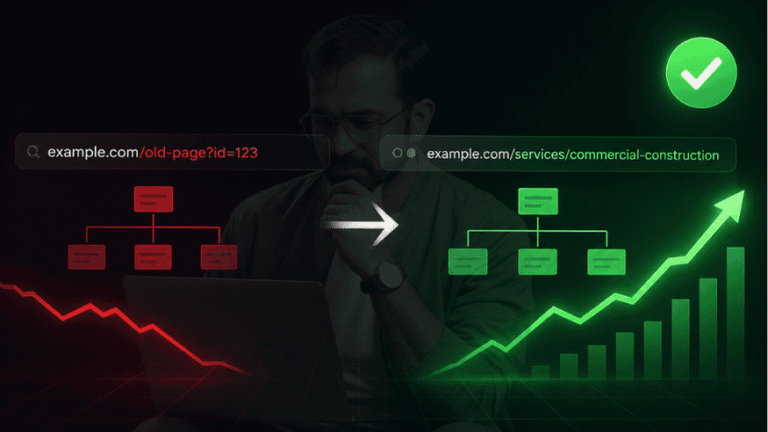
Redesigns, domain moves and URL changes planned with full redirect maps, so rankings move with you. See a migration case.
Organization, LocalBusiness, Article, Product, Breadcrumb and more, validated and kept in line with Google’s latest rich result rules.
Content hidden behind JavaScript, client-side rendering problems and lazy-loading mistakes found and fixed so Google sees what users see.
Canonical tags, redirect chains, broken links, duplicate and thin pages, HTTPS and hreflang issues cleaned up across the site.
Most traffic problems show up as one symptom, but the cause is usually technical. These are the ones I fix most often.
| What you notice | Common cause | How I fix it |
|---|---|---|
| New pages don’t appear on Google | Crawl budget wasted on duplicates, weak internal links, rendering issues | Clean crawl paths, sitemaps, internal links and server-side rendering checks |
| Traffic dropped after a redesign | Changed URLs without proper 301 redirects, lost content or internal links | Full redirect map, recovery of lost pages and links, re-submission in Search Console |
| Pages “Crawled – not indexed” | Thin or duplicate content, wrong canonicals, low internal importance | Consolidate or improve pages, fix canonicals, strengthen internal links |
| Site feels slow on mobile | Heavy images, render-blocking scripts, slow server, layout shifts | Image and script optimization, caching, font and layout fixes for Core Web Vitals |
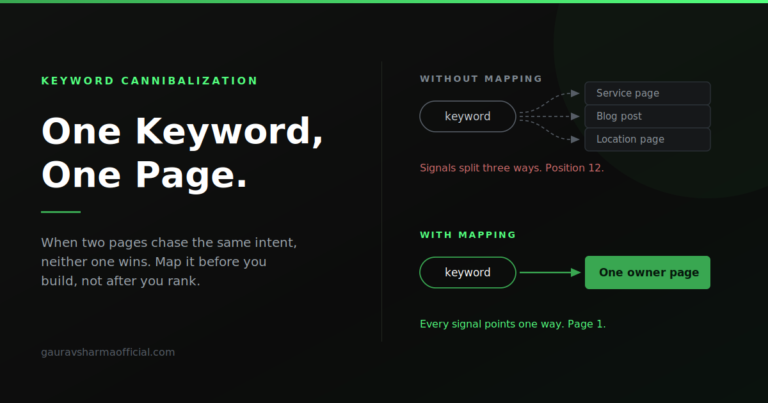
| Wrong page ranks for a keyword | Keyword cannibalization, mixed signals between similar pages | One keyword per page, merges, redirects and clear internal linking |
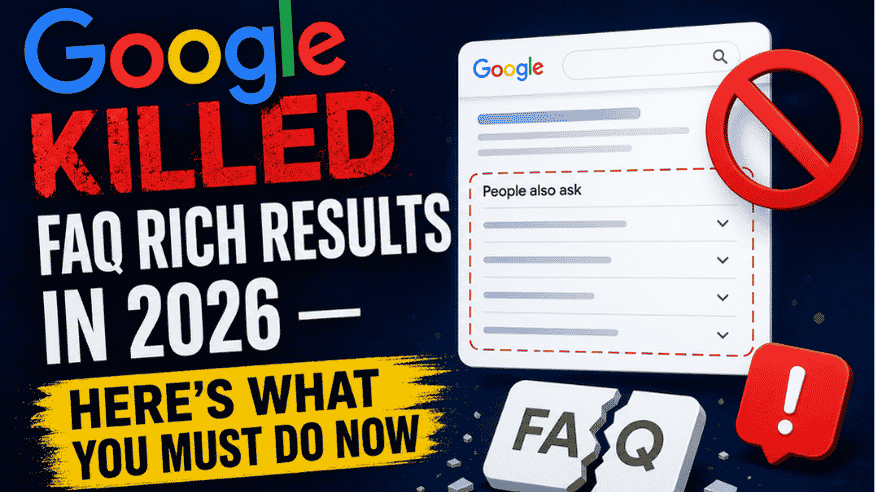
| Rich results disappeared | Invalid or outdated schema, or Google changed eligibility | Validated schema that follows current rules. FAQ results update |
Five steps, with every fix checked and confirmed in Search Console.
Full site crawl, Search Console and analytics review, speed tests on key templates.
Issues ranked by traffic impact and effort, so the biggest wins come first.
I implement the fixes directly, or give your developer clear, ready-to-use instructions.
Every fix re-crawled and validated in Search Console, with indexing requested where needed.
Monthly health checks so new issues are caught before they cost traffic.
A 100% site health score on a live Semrush audit, and a hospital website restructured department by department, with clean URLs, hub-and-spoke internal links and one page per keyword, that grew to over a million search impressions.
If any of these sound familiar, the problem is probably under the hood, not in your content.

Plain answers to what clients ask most.
The basics
Technical SEO is the work that makes a website easy for search engines to crawl, render, understand and index. It covers site speed, crawlability, indexing, site structure, redirects, structured data and how JavaScript content is handled. It doesn’t change what your content says; it makes sure that content can be found and ranked.
On-page SEO improves individual pages: titles, headings, content and keywords. Technical SEO works on the whole site: how pages are discovered, rendered, linked, loaded and indexed. Both matter, and technical problems can stop good on-page work from paying off. On-page SEO service.
A full crawl of your site, a review of Search Console coverage and performance, Core Web Vitals and speed checks on key templates, a look at architecture and internal links, redirects and canonicals, structured data, mobile usability, and JavaScript rendering. You get a prioritised list of issues with clear fixes. More on SEO audits.
Yes, but usually less of it. A small site still needs to be indexed properly, load fast on mobile and avoid simple mistakes like noindex tags or broken redirects. A one-time audit and fix is often enough, followed by light monitoring.
Crawling, indexing & speed
Google visited the page but decided not to index it, often because it looks thin, duplicate or unimportant, or because signals like canonicals and internal links are mixed. The fix is to improve or merge those pages, clean up canonicals, and link to them from stronger pages.
Crawl budget is how many pages Google is willing and able to crawl on your site in a given time. It matters most for large sites or sites with many parameter, filter or duplicate URLs. Wasting it on low-value URLs slows down how fast important pages get indexed. Read my crawl budget guide.
Core Web Vitals are Google’s user-experience metrics: LCP (how fast the main content loads), INP (how quickly the page responds to taps and clicks) and CLS (how much the layout jumps). They are a ranking signal, but a smaller one than relevance and content. Their bigger value is fewer visitors leaving before the page loads.
Yes, if they are built carefully. Google can render JavaScript, but it takes more resources and can delay indexing. Server-side rendering or static generation, real links instead of click handlers, and important content in the initial HTML make JavaScript sites much more reliable in search.
Migrations, schema & structure
It can if URLs, content or internal links change without a plan. A safe migration maps every old URL to its new one with 301 redirects, keeps important content, checks the new site before launch and monitors Search Console closely afterwards. See how I restructured a site without losing rankings.
Yes, I add and validate the schema types that fit your site. Schema helps search engines and AI tools understand your content, but rich results are always Google’s choice, and eligibility changes over time, as with FAQ results in 2026. Read the FAQ results update.
It happens when several of your pages target the same search, so Google keeps switching between them and none ranks well. It sits between content and technical SEO: the fix involves mapping one keyword to one page, then merging, redirecting or re-linking the others. How I map keywords.
Yes. AI search tools and Google’s AI features still rely on pages that can be crawled, rendered and understood. Clean HTML, fast pages, clear structure and schema make your content easier for them to use and cite. AI SEO service.
Working together
Both options work. On WordPress and most common platforms I implement fixes directly. On custom builds I work with your developer, giving clear, prioritised tickets and checking each fix after it goes live.
Some fixes, like removing an accidental noindex or fixing broken redirects, can show results within days of Google re-crawling. Indexing and speed improvements usually show over a few weeks. Bigger structural changes build over a few months.
WordPress, Shopify, custom PHP sites and JavaScript frameworks like React and Next.js. The principles are the same everywhere; only the way fixes are applied changes.
It depends on the size of the site, the platform and how many issues there are. Send your website on WhatsApp and I’ll share a clear scope and quote after a quick look.
A healthy technical foundation makes every other part of SEO work harder.

Rank in the Google Map Pack and get more calls and visits.
View service
Get cited in ChatGPT, Gemini, Perplexity and Google AI Overviews.
View service
A complete check of what is holding your site back, with a fix list.
View service
Titles, headings, content and UX tuned for rankings and conversions.
View service
Topical clusters and content that answers what customers search.
View service
White-hat links and digital PR that build real authority.
View service
More patient calls for hospitals, clinics and healthcare brands.
View service
Steady high-intent property buyer leads without paid clicks.
View serviceSend me your website. I’ll check indexing, speed and the most common technical issues, and tell you what to fix first, in plain language.