
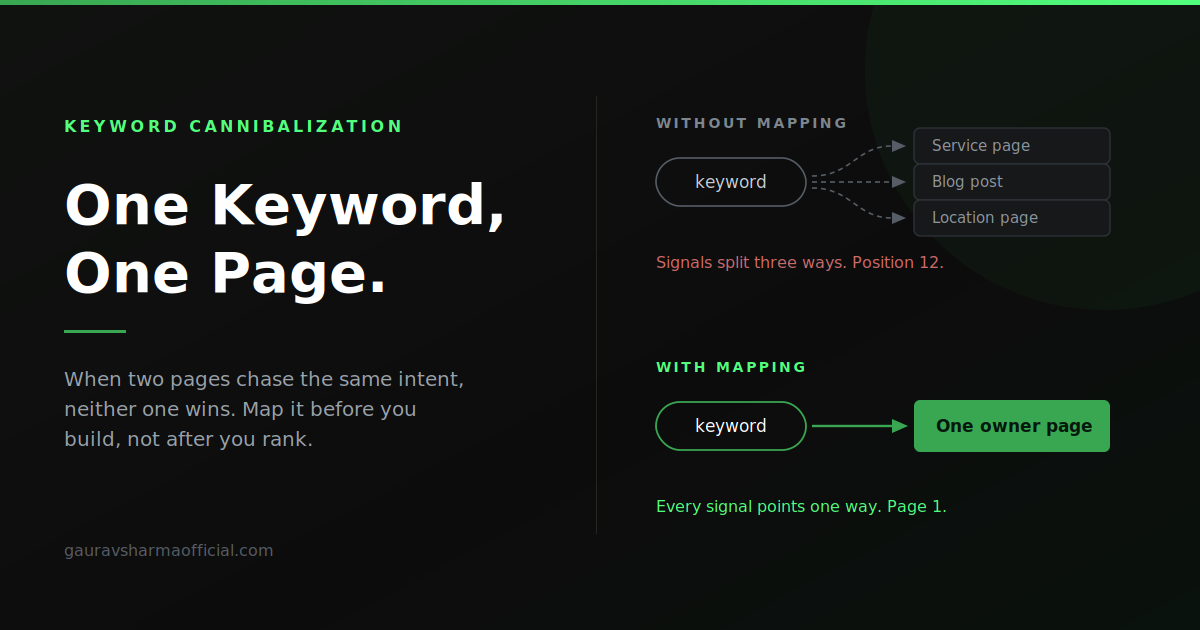

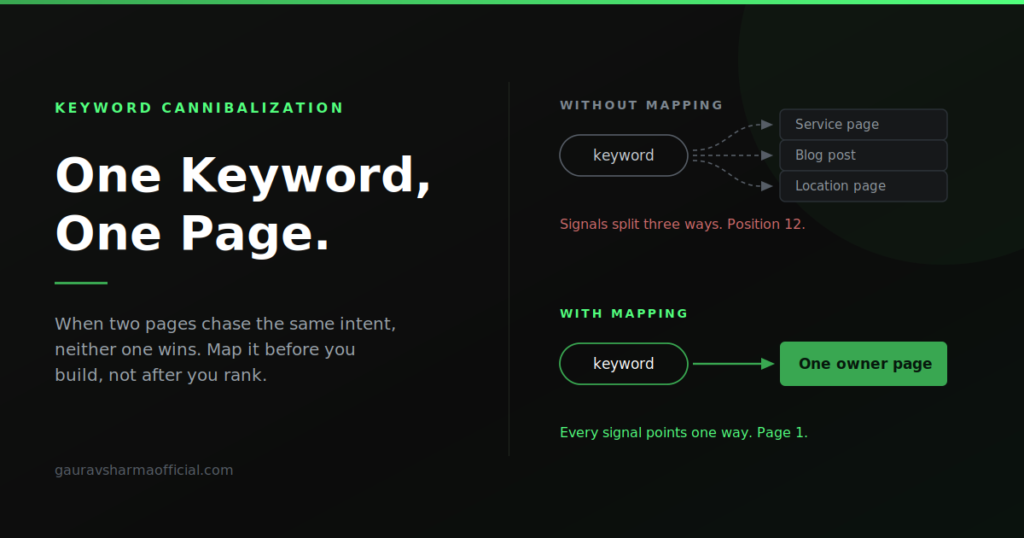
A client sent me a list of thirty keywords last month and asked how many pages he needed. His developer had already quoted him for thirty pages, one per keyword. That quote would have produced a site that competed with itself on at least a third of those terms.
Keyword cannibalization is one of those problems that is invisible until you look for it, and then it is everywhere. It does not throw an error in Search Console. It does not show up in a site audit as a red issue. The site looks fine. It just quietly underperforms, and nobody can explain why the rankings sit at position 12 instead of position 4.
This is how I find it, how I fix it, and more usefully, how I prevent it before a single page gets built.
What keyword cannibalization actually is
Two or more pages on the same site targeting the same search intent.
Notice that I said intent, not keyword. This distinction matters more than anything else in this article, and it is where most cannibalization audits go wrong.
Two pages can use completely different words and still cannibalize. A page called “asphalt paving cost” and a page called “how much does a parking lot cost to pave” share zero words in the title and compete for exactly the same searcher. Meanwhile two pages using the identical phrase can coexist perfectly well if one is a service page and the other is a blog post answering a different question.
Google is trying to pick the single best page on your site for a given query. When you give it two candidates that both half-answer the same thing, you have not doubled your chances. You have forced it to choose, and it will often choose badly, or split the signals between them so neither ranks.
What it actually costs you
The damage is rarely dramatic. That is why it survives so long.
Your link equity splits. Backlinks and internal links that should all point at one authoritative page spread across two or three weaker ones. Neither accumulates enough authority to break into the top positions.
Google flips between pages. You rank with page A for two weeks, then page B, then back to A. Every flip resets whatever ranking momentum the page had built. If you have ever seen a keyword bouncing between positions with no obvious cause, check whether two URLs are trading places in the results.
The wrong page ranks. Your blog post ranks and your service page does not. The searcher is ready to buy, they land on a 2,000-word explainer, and they leave. The traffic looks fine in analytics. The conversions do not.
Your click-through rate drops. Two similar titles competing means neither one is sharply written for the query. The result that wins is usually the one whose title matches the search exactly.
Crawl budget gets wasted. On large sites this compounds. Google spends its crawl allocation on near-duplicate pages instead of the ones that matter. I wrote about a related version of this problem in how server-side rendering flaws stop new pages from indexing — the underlying issue is the same, which is that you are asking Google to spend effort on pages that do not earn it.
How to find cannibalization on an existing site
Four methods, in the order I actually run them.
Search Console, sorted by query
This is the fastest and most reliable signal, and most people never use it this way.
Open Performance, go to the Queries tab, pick a query that matters, then click into the Pages tab with that query filter still applied. If more than one URL shows impressions for that query, you have candidates.
What you are looking for specifically:
- Two URLs with meaningful impressions on the same query — the clearest case
- One URL with high impressions and near-zero clicks — often a page ranking in place of the one that should be ranking
- Position that swings by several places week to week — compare date ranges and see if the ranking URL changed
Do this for your twenty most commercially important queries first. Do not try to audit every query on the site; you will drown in long-tail noise where cannibalization does not matter.
The site: search
Crude but quick. Search site:yourdomain.com "your keyword" in Google. It shows you which pages Google associates with that phrase, and in roughly what order it ranks them internally.
This is not precise and the results are personalized, so treat it as a pointer rather than evidence. It is useful for a fast sanity check when a client asks about a specific term.
Title and H1 audit
Crawl the site and export every URL with its title tag and H1. Sort alphabetically and read down the list.
Near-identical titles jump out immediately. So do the subtler cases — “PEB manufacturer in Indore” and “pre-engineered building supplier Indore” look different in a spreadsheet until you say them out loud and realise they are the same query.
While you are in there, check for pages with duplicate H1s or duplicate meta descriptions. Those usually indicate template pages that were never differentiated, which is cannibalization waiting to happen.
Look at the internal link anchors
This one catches cases the other three miss.
Export your internal links with anchor text. If the same anchor text points to two different URLs anywhere on the site, you are actively telling Google that both pages are about that phrase. You built the cannibalization yourself.
Fixing it: four options, in order of preference
Once you have found overlapping pages, there are only four things you can do. Pick based on how much each page has earned, not on which one you prefer.
Option 1: Consolidate and redirect
Best when both pages serve the same intent and neither is clearly stronger.
Take the better-performing URL as the destination. Move anything valuable from the weaker page into it — sections it covered better, examples, images worth keeping. Then 301 the weaker URL to the stronger one and update every internal link that pointed at the old URL.
Do not skip the internal link update. A 301 that works is still a 301; if every link on the site goes through a redirect, you are leaking a little on every hop and making the site harder to crawl.
Which page is stronger? Check backlinks first, then organic clicks, then URL quality. A page with external links pointing at it is almost always the one to keep, even if its content is worse — content is easy to improve, links are not.
Option 2: Differentiate the intent
Best when both pages have real traffic and there is a legitimate distinction to draw.
The rule I use: one page answers “what is this and should I do it”, the other answers “I want to buy this, who from”. Informational and commercial. Those are genuinely different searches and can support genuinely different pages.
To make the differentiation stick, you have to change more than the title:
- Rewrite the H1 and title to target the distinct query, not the shared one
- Rework the opening two paragraphs, because that is where Google reads the topic most strongly
- Change the internal link anchors pointing at each page so they use the distinct phrasing
- Have each page link to the other with anchor text that describes the other page’s job
Half-doing this is worse than not doing it. If you change the title but leave the body identical, you have two pages with the same content and different labels.
Option 3: Canonicalize
Best when both pages need to exist for users but only one should rank. Paginated listings, filtered category views, print versions, near-identical location pages with thin differences.
Put a canonical on the weaker page pointing at the stronger one. Both stay live, both are usable, one gets the ranking signals.
Be careful with this on location pages. If two city pages are similar enough that you are reaching for a canonical, the honest answer is usually that you should have built one page, not two. Canonicalizing is a patch over a structural decision made badly.
Option 4: Delete
Best when the page has no traffic, no backlinks, and no reason to exist.
Old blog posts written to hit a keyword quota are the usual candidates. If a page has had no clicks in twelve months and nothing links to it, deleting it and redirecting to the nearest relevant page is a net gain. Fewer, better pages beat more, thinner ones — that has been true for years and it is more true now that AI-generated answers are compressing the number of results people actually look at.
The part that actually matters: preventing it
Everything above is remedial work. It is billable, it works, and it is entirely avoidable.
The reason I now insist on mapping keywords before a site is built is that fixing cannibalization after the fact costs a client four to five times what planning it would have. And some of it cannot be fixed cleanly — once two pages have both accumulated links over three years, consolidating means throwing something away.
Here is the process I run.
Step 1: Group keywords by intent, not by wording
Take the full keyword list and cluster it by what the searcher actually wants, ignoring how they phrased it.
“PEB manufacturer in Indore”, “pre-engineered building company Indore” and “steel building supplier Indore” are one cluster. One page. Not three.
The test I apply: would the same page satisfy both searches? If yes, same cluster. If a searcher typing one of them would be annoyed to land on a page built for the other, separate clusters.
This is judgement work and it is where the value is. Tools will cluster by semantic similarity and they are useful as a starting point, but they consistently over-split. They see different words and assume different intent.
Step 2: One cluster, one page, written down
Every cluster gets exactly one URL. Write the mapping out explicitly, one row per page, listing:
- The page name
- The full URL, not just the slug
- The primary keyword
- The secondary keywords assigned to that page
The full URL matters. Working from slugs alone hides structural problems — you do not notice that two pages sit at different depths under different parents until you see the whole path.
Step 3: Check that the structure supports the mapping
This is where keyword mapping meets URL architecture. If your mapping says a keyword belongs to one page, but your URL structure generates three URLs that could all serve it, the structure will undo the mapping.
I went through this in detail in how I rebuilt a commercial site’s URL structure — the short version is that a URL grammar with overlapping patterns produces cannibalization automatically, at scale, without anyone deciding to create it.
Step 4: Assign the anchor text before anyone writes a line
For each page, decide now what anchor text other pages will use when linking to it. Then use only that anchor, consistently.
This is the step everyone skips, and it is the cheapest insurance in SEO. Consistent anchor text is the clearest signal you can send about which page owns which topic. Inconsistent anchor text actively creates the ambiguity you were trying to avoid.
Step 5: Hold the line when new content is requested
Six months in, someone will ask for a blog post on a keyword that is already mapped to a service page. That is the moment cannibalization gets introduced into a clean site.
The answer is not always no. Sometimes the right move is to expand the existing page. Sometimes there is a genuinely different informational query worth its own post. But the question has to be asked against the map, not answered by reflex.
Keep the mapping document live. A map that was correct at launch and never updated is just a historical record.
A note on location pages
Local SEO is where I see cannibalization most often, and the cause is almost always the same: someone built a page per city because the keyword list had a city in it, without checking whether the pages would have anything different to say.
If your Indore page and your Bhopal page differ only in the city name, you have not built two pages. You have built one page twice, and Google will treat it that way.
A location page earns its place when it has something location-specific on it — projects in that area, a real address, local service constraints, area-specific pricing, genuine local proof. Without that, one well-built page covering the region outperforms six thin ones, every time. I covered the version of this that works in how I help local businesses rank without running ads.
What this looks like when it is done right
The last full mapping I did was thirty keywords for a manufacturing client. The result was not thirty pages.
It was a home page carrying the brand and primary city terms, an about page, a contact page, seven product pages, seven service pages, and a small set of location pages that each had real projects behind them. Several keywords that looked distinct on the list collapsed into the same cluster. A handful of location keywords got folded into the home page rather than getting pages of their own, because there was nothing location-specific to put on those pages yet.
Twenty-something pages instead of thirty. Every one of them with a clear job, no two competing, and a document that tells anyone joining the project later exactly which page owns which term.
That document is worth more than any audit I could run on the same site two years later.
Where to start on your own site
If you do one thing after reading this, do the Search Console check on your top twenty commercial queries. Query filter, then Pages tab, look for more than one URL. It takes twenty minutes and it will tell you whether you have a problem worth spending real time on.
If you find overlaps and are not sure whether to consolidate or differentiate, that judgement call is usually worth a second opinion — it is the kind of decision that is cheap to make correctly now and expensive to reverse later. I am available to talk it through, and keyword mapping and content strategy is one of the things I do most.
[…] The fix isn’t deleting everything. It’s having one strong page per real intent, and only creating location pages where you actually have something unique to say: a real address, local reviews, local photos, or local case studies. I explain the full process in One Keyword, One Page: How I Map Keywords Before Building a Site. […]
[…] When two or three of your pages target the same query, Google has to choose, and often picks neither strongly. Mapping one keyword to one page is the single most common fix I make for clients. Here’s my process: One Keyword, One Page. […]